How Can We Help?
Switching Between Multiple Units For Dues/Payments (For Owners with More Than One Property)
Overview
If you own multiple units within the same HOA, RunHOA allows you to switch between those units using a single login—so you can view invoices, balances, and payment history for each property you own.
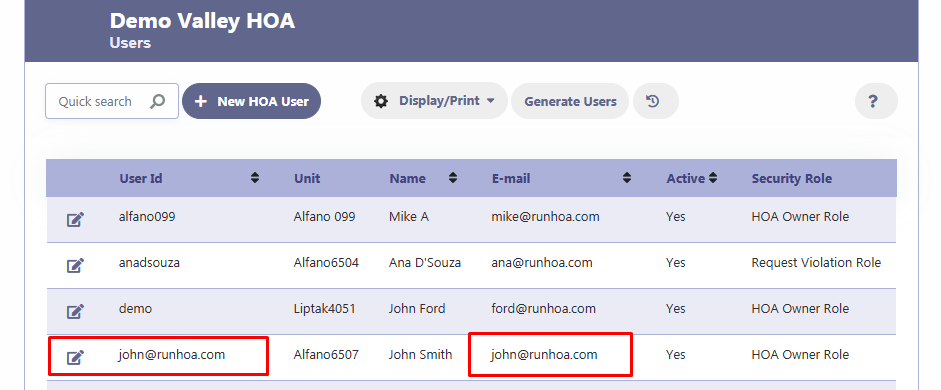
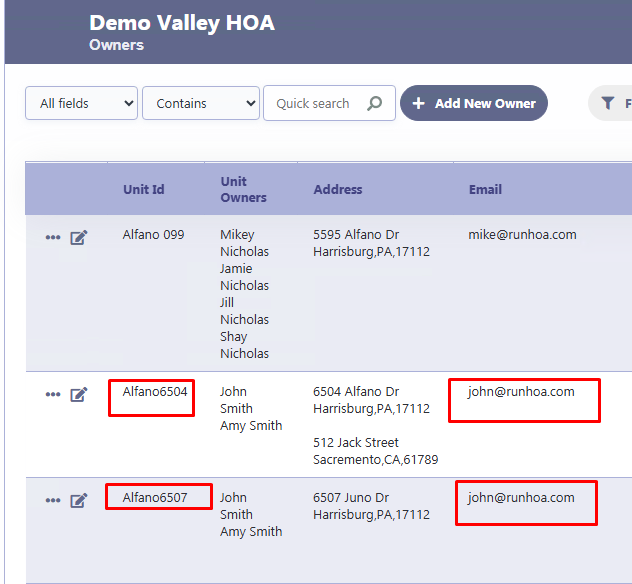
This feature is automatically available when your login email matches the email associated with the units the owners own.
How It Works
- Each unit in RunHOA has one or more owner email addresses associated with it.
- Owners login email address matches the email on multiple units: Owners login should have a default unit.
- Those units will be available to you
- You can switch between them without logging out
- Invoices and payments remain unit-specific, ensuring accurate accounting.
How to Switch Units
- Log in to your HOA portal.
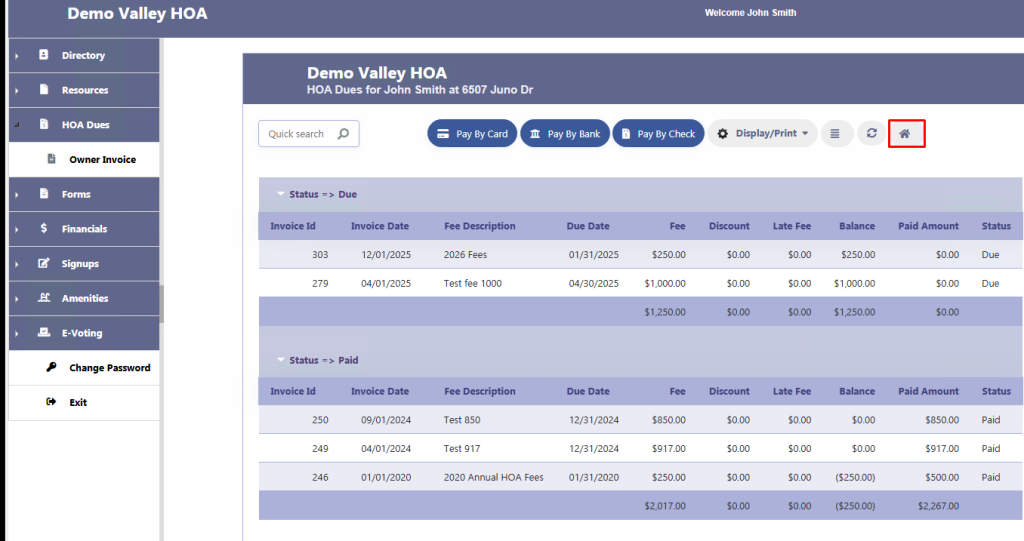
- Navigate to the Dues / Invoice Log screen.
- Click the Home (🏠) icon in the top-right corner.
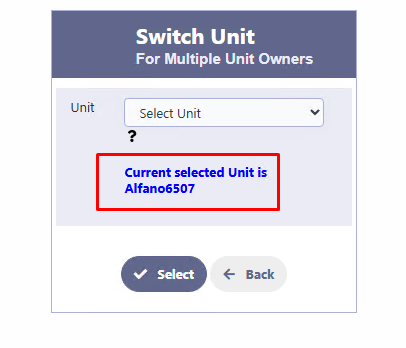
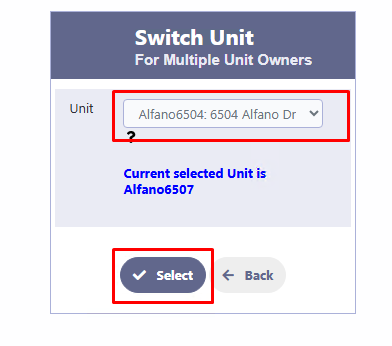
- The Switch Unit window will open.
- Select the unit you want to view from the dropdown list.
- Click Select.
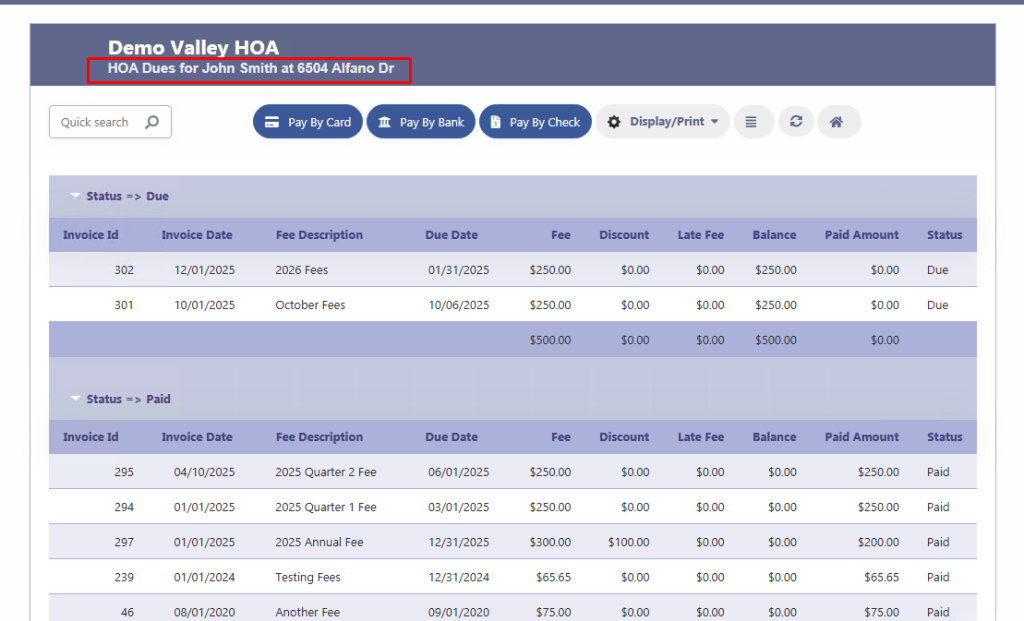
The page will refresh, and you’ll see:
- The selected unit’s address in the header
- Invoices and payment history for that unit only
What You Can View After Switching
For the selected unit, you can:
- View outstanding and paid invoices
- See payment history
- Make payments by card, bank transfer, or check
- Print or export invoice details
Each unit’s financial data is kept separate for accuracy.
Why You May Not See All Your Units
You will only see units where your login email matches the owner email on the unit.
If you believe a unit is missing:
- Verify that the correct email address is listed for you on that unit
- Contact your HOA administrator to update the owner email if needed
Important Notes
- This feature applies only to owners with multiple units.
- Units must belong to the same HOA.
- Payments and balances are always tied to the specific unit, not shared across units.
Need Help?
If you have questions or believe your units are not displaying correctly, please contact your HOA administrator