How Can We Help?
Asset Register
The Asset Register allows your HOA to maintain a centralized inventory of community-owned assets. By keeping asset information in one place, your board can easily track equipment, purchase information, warranties, maintenance schedules, and replacement costs.
Typical assets include:
- Pool equipment
- Clubhouse furniture
- Playground equipment
- Entrance signs
- Gate systems
- Irrigation systems
- Lighting
- Mailboxes
- HVAC equipment
- Office equipment
- Vehicles
- Storage equipment
The Asset Register helps preserve important information for future boards and makes it easier to manage HOA-owned property.
Opening the Asset Register
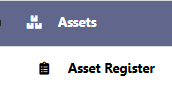
From the left navigation menu, select:
Assets → Asset Register
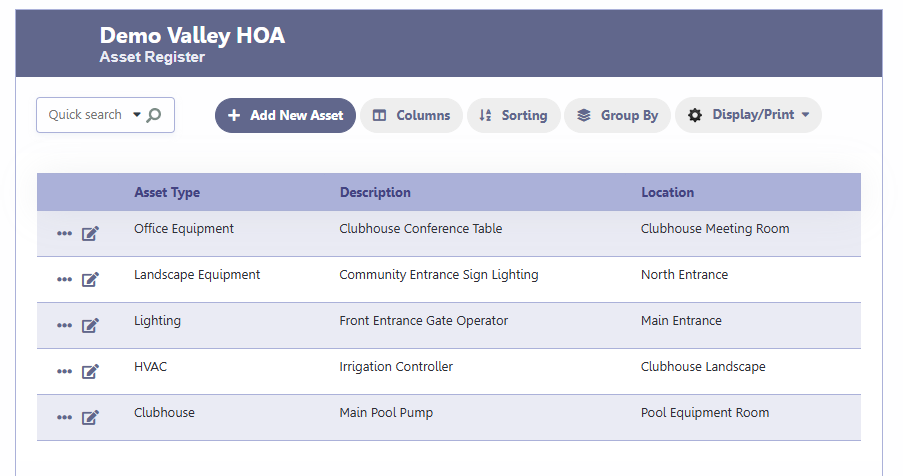
The Asset Register displays all assets currently entered into your HOA database.
Asset Register Screen
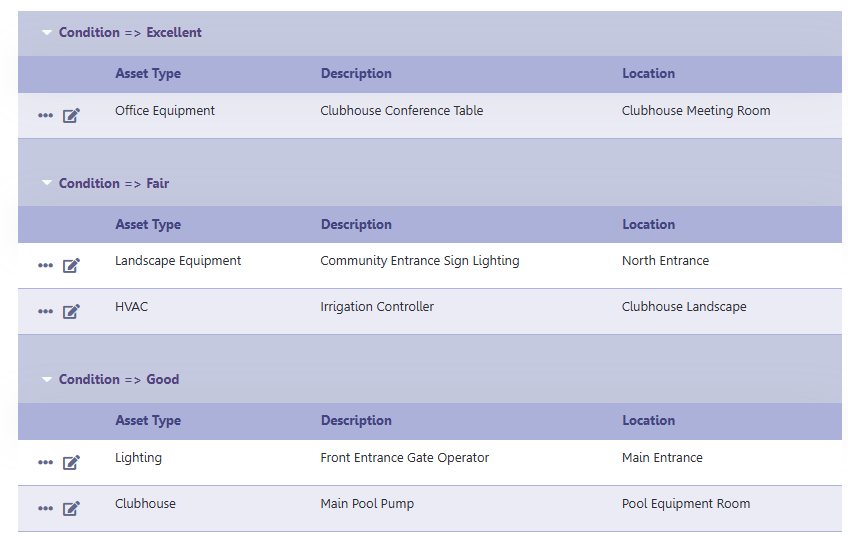
The Asset Register displays a list of your HOA assets with key information such as:
- Asset Type
- Description
- Location
From this screen you can:
- Add a new asset
- Edit an existing asset
- Search for assets
- Sort the list
- Group assets
- Customize displayed columns
- Print or export the Asset Register
Adding a New Asset
Click Add New Asset.
Complete the asset information and click Save.
Asset Information
Basic Info
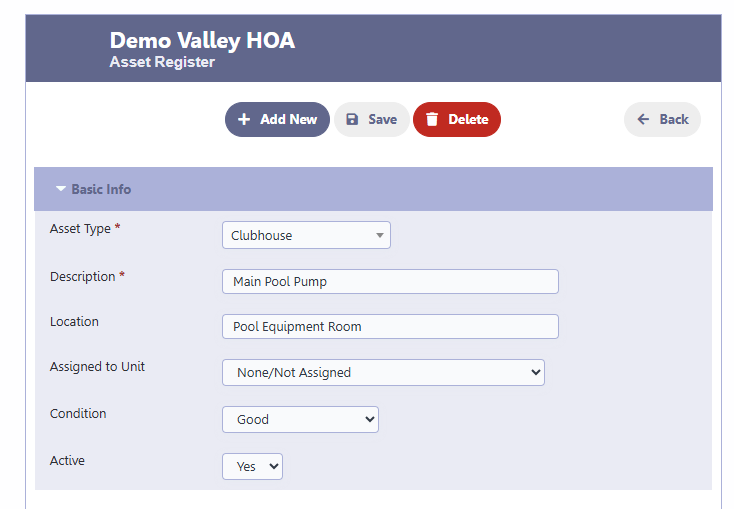
The Basic Info section identifies the asset.
Fields include:
- Asset Type – Select the category of asset.
- Description – Name or description of the asset.
- Location – Physical location of the asset.
- Assigned to Unit – Optional. Use if the asset belongs to or is assigned to a specific unit.
- Condition – Current condition of the asset.
- Active – Indicates whether the asset is currently in service.
Purchase / Value Info
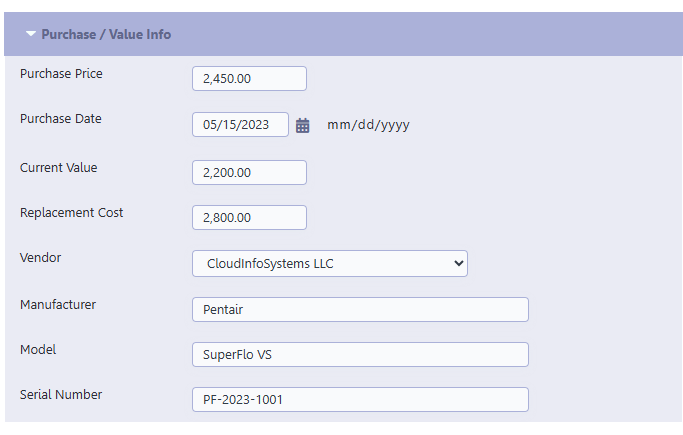
Use this section to record purchase and valuation information.
Fields include:
- Purchase Price
- Purchase Date
- Current Value
- Replacement Cost
- Vendor
- Manufacturer
- Model
- Serial Number
Keeping this information current helps with budgeting and future replacement planning.
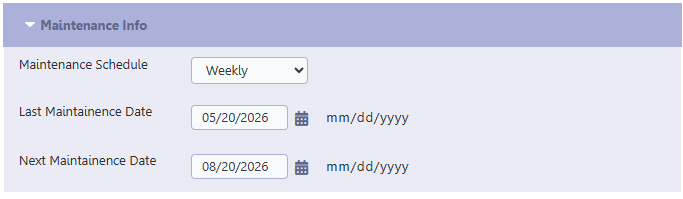
Maintenance Info
Track maintenance scheduling for each asset.
Fields include:
- Maintenance Schedule
- Last Maintenance Date
- Next Maintenance Date
This information helps ensure routine maintenance is not overlooked.
Warranty / Expiry Info
Use this section to record the asset’s warranty or expiration date.
This is useful for identifying assets that may still be covered under warranty or are approaching replacement.

Notes
Use the Notes section to record any additional information about the asset.
Examples include:
- Installation details
- Special maintenance instructions
- Warranty information
- Replacement recommendations
- General comments

Searching Assets
Use the Quick Search box to quickly locate an asset by entering part of its description, location, or other searchable information.
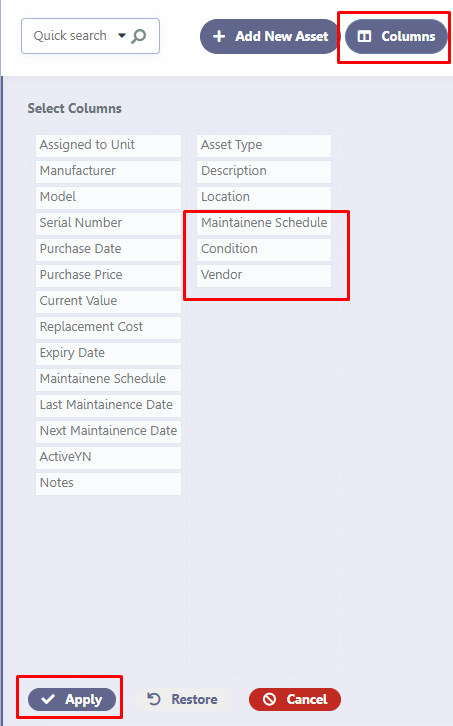
Selecting Columns
Click Columns to customize which information is displayed in the Asset Register.
You can choose to display fields such as:
- Asset Type
- Description
- Location
- Assigned to Unit
- Manufacturer
- Model
- Serial Number
- Purchase Date
- Purchase Price
- Current Value
- Replacement Cost
- Warranty / Expiry Date
- Maintenance Schedule
- Last Maintenance Date
- Next Maintenance Date
- Condition
- Vendor
- Active
- Notes
This allows each administrator to personalize the Asset Register based on their needs.
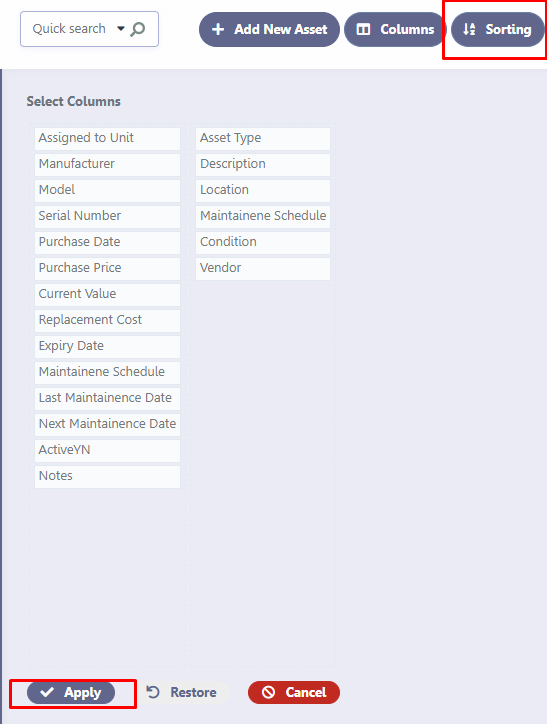
Sorting Assets
Click Sorting to sort assets by one or more fields.
For example, you can sort by:
- Asset Type
- Description
- Purchase Date
- Vendor
- Location
- Condition
Sorting makes it easier to organize and review your asset inventory.
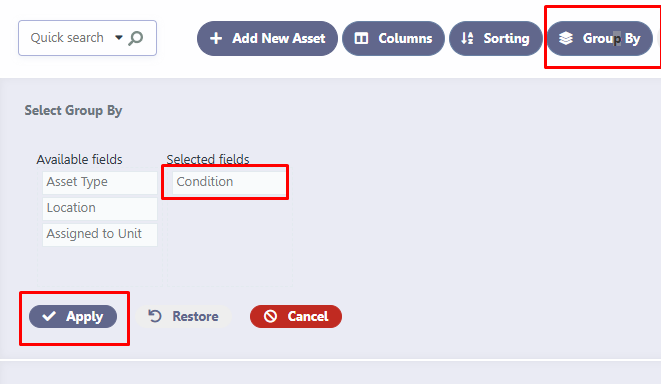
Grouping Assets
Click Group By to organize assets into logical groups.
Common grouping options include:
- Asset Type
- Location
- Assigned Unit
- Condition
Grouping helps identify related assets and simplifies reporting.
Printing and Exporting
Click Display/Print to print or export your Asset Register.
This feature can be used to:
- Print a complete asset inventory
- Create reports for board meetings
- Export asset information for budgeting or insurance purposes
Tips
- Keep asset information updated whenever equipment is purchased, replaced, or retired.
- Record manufacturer, model, and serial numbers whenever available.
- Update maintenance dates after service is completed.
- Record replacement costs to assist with long-term reserve planning.
- Use clear descriptions and locations to make assets easy to identify.
Example Assets
Typical assets maintained by an HOA include:
- Main Pool Pump
- Entrance Gate Operator
- Irrigation Controller
- Clubhouse HVAC Unit
- Community Lighting
- Playground Equipment
- Mailbox Cluster
- Clubhouse Furniture
- Security Cameras
- Entrance Monument Sign
Maintaining an accurate Asset Register provides your HOA with a valuable historical record of community-owned property and supports better maintenance, budgeting, and long-term planning.