How Can We Help?
General Ledger
📘 General Ledger (Financials)
The General Ledger in RunHOA provides a complete, transaction-level view of your HOA’s financial activity for the selected fiscal year. It is one of the most important reports for boards, treasurers, and auditors, as it shows how every transaction impacts each account over time.
🔍 What is the General Ledger?
The General Ledger displays:
- All financial transactions
- Grouped by Account Type (Assets, Liabilities, Income, Expenses)
- Further organized by Account Category
- Includes:
- Transaction Date
- Description (Name / Memo)
- Debit and Credit amounts
- Running Balance per account
This allows you to track how balances change over time and verify the accuracy of your financial records.
📊 How to Access the General Ledger
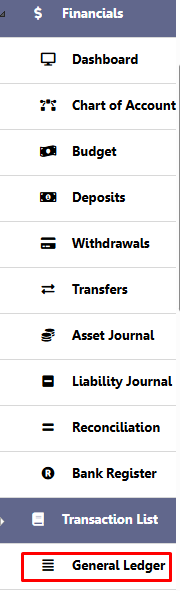
- Go to Financials
- Click on General Ledger
This will load the full ledger for the selected fiscal year.
🧾 Understanding the Layout
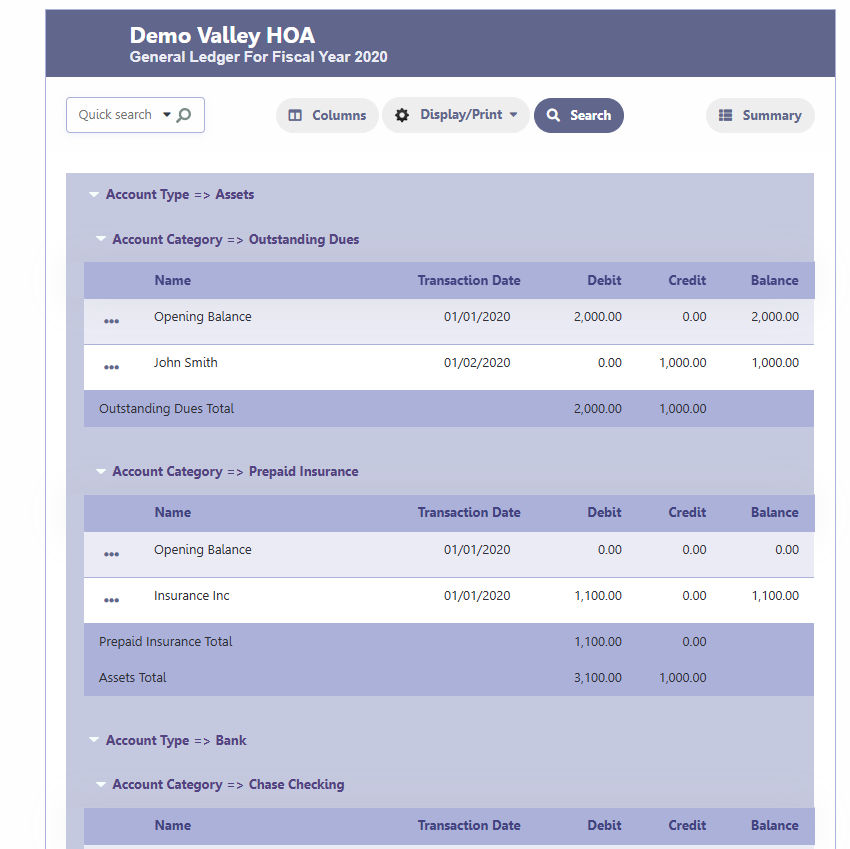
The General Ledger is structured as follows:
1. Account Type
- Assets (includes Bank accounts)
- Liabilities
- Income
- Expenses
2. Account Category
Each account (e.g., Checking, Insurance, Dues) is listed under its respective type.
3. Transactions
For each account, you will see:
- Opening Balance
- All transactions (Deposits, Withdrawals, Journals, Transfers)
- Running balance after each transaction
4. Totals
- Each account shows a total debit and credit
- Account Type totals (e.g., Assets Total) are also displayed
🔎 Searching and Filtering
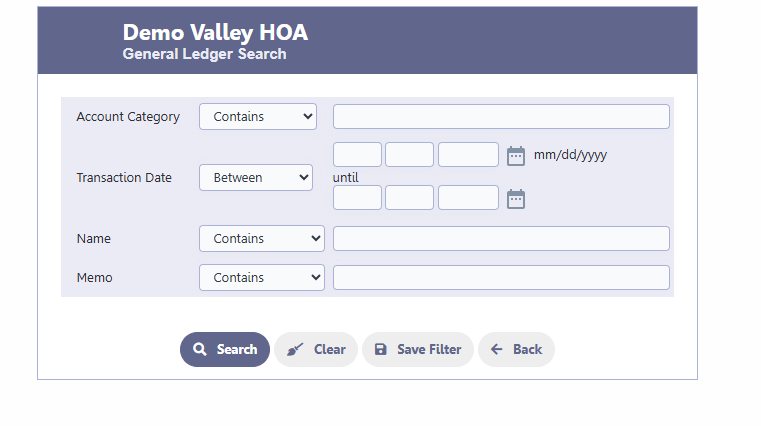
Click Search to filter the ledger.
You can filter by:
- Account Category
- Transaction Date (range)
- Name
- Memo
👉 Note: Filtering does not recalculate balances. It simply narrows the view of the full ledger.
⚙️ Customizing Columns
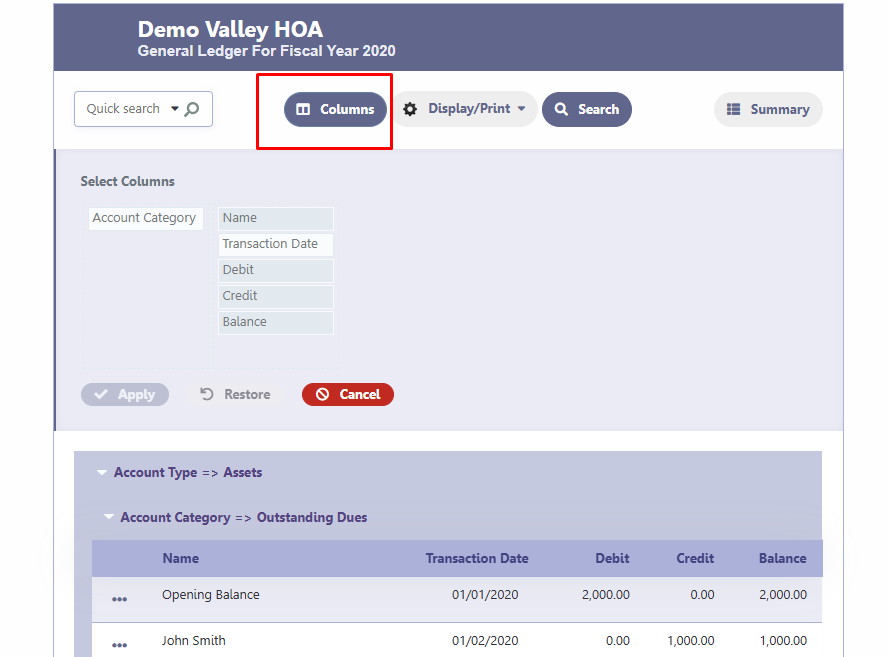
Click Columns to choose which fields to display:
Available fields:
- Account Category
- Name
- Transaction Date
- Debit
- Credit
- Balance
This allows you to tailor the view based on your needs.
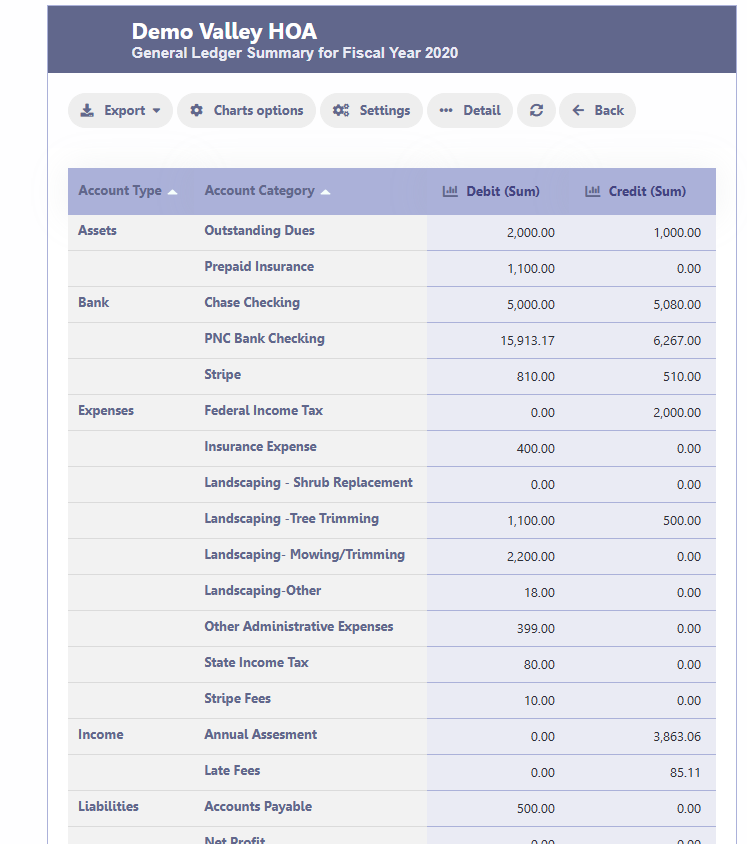
📈 Summary View
Click Summary to view a high-level breakdown of:
- Total Debits and Credits per account
- Organized by Account Type and Category
This is useful for quick analysis but does not replace the full ledger.
🖨️ Display / Print Options
Use Display/Print to:
- Print the ledger
- Export to PDF, Excel, or Word
These exports are useful for:
- Board meetings
- Financial reviews
- Audit preparation
🧠 Important Notes
- The General Ledger reflects the entire fiscal year
- All balances are calculated based on:
- Opening balances
- All recorded transactions
- The ledger follows standard accounting principles with proper debit and credit tracking
✅ When to Use the General Ledger
Use this report when you need:
- Full transaction history
- Account-level detail
- Audit support documentation
- Verification of balances
- Troubleshooting discrepancies
💡 Tip
For a summarized financial position, use:
- Income Statement
- Balance Sheet
- Financial Summary
For detailed transaction tracking, always refer to the General Ledger.